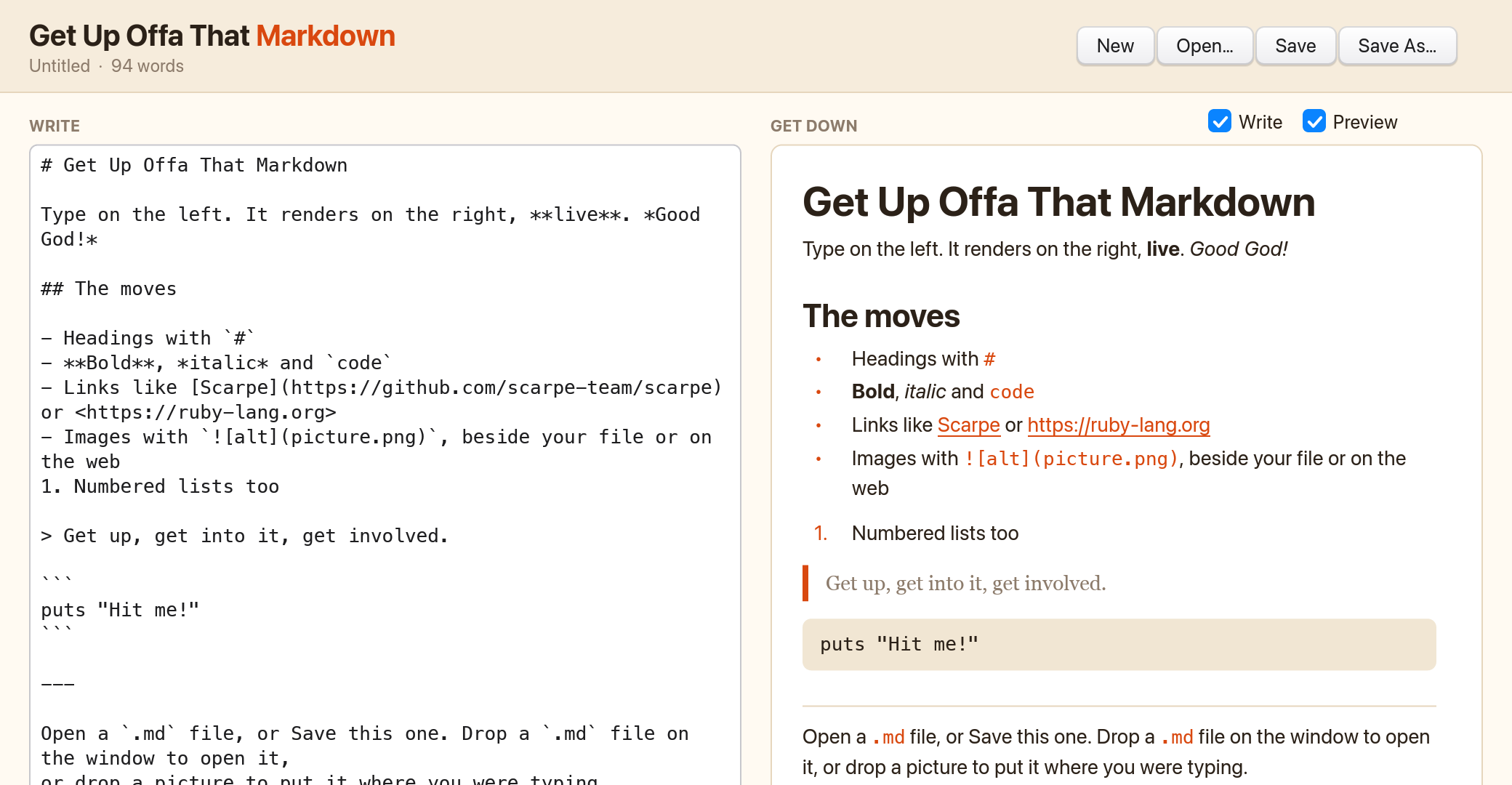
Tonight's set list
Six numbers, no filler. Everything a Markdown editor needs to keep the groove going.
-
I Got You (Live Preview)
Every keystroke renders right away: headings, bold and italic, code, quotes, lists, links and rules.
-
Papa's Got a Brand New Pane
Show just the Markdown, just the preview, or both. Resize the window and both panes follow.
-
Give It Up or Drop It Loose
Drag a picture onto the window and it goes in where you were typing. Drag in a
.mdfile and it opens. -
Cold Sweat? Never
Your draft saves as you type, so quitting never costs you a word.
-
Super Bad Pictures
Images from your disk or the web, scaled to fit. A missing one tells you which file it couldn't find.
-
The Payback
Free and open source under the MIT license. Take it, read it, change it.
Please, please, please
The app isn't notarised by Apple yet, so macOS asks you to vouch for it once.
- Download the disk image, open it, and drag the app into Applications.
- Open the app once. When macOS blocks it, close the warning.
- Go to System Settings, then Privacy & Security, and choose Open Anyway. Or run this in Terminal instead:
xattr -dr com.apple.quarantine "/Applications/Get Up Offa That Markdown.app"
It needs a Mac with Apple silicon (M1 or later). Ruby and everything else it uses come bundled inside the app.
The hardest-working 400 lines in show business
The whole editor is one Ruby file of about 400 lines, written in _why's Shoes and running on Scarpe, which draws it with a native Rust renderer.
Dragging files in and inserting text at the cursor were new to Scarpe, so they went upstream as scarpe-team/scarpe#648. Run it from source to read the code and change it.